![NextMinute_Primary_White.svg]](https://support.nextminute.com/hubfs/NextMinute_Primary_White.svg)
Step 1: Navigate to Supplier Invoice Import Templates
-
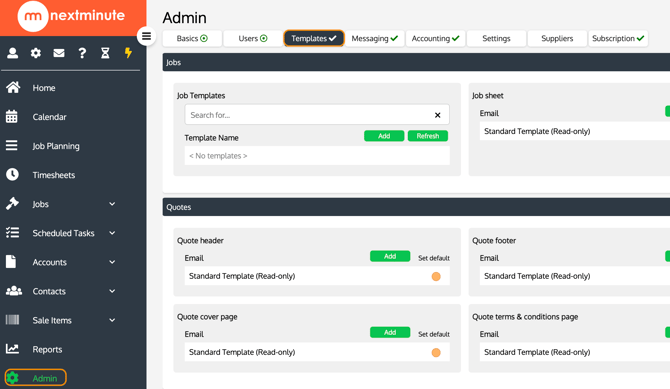
Select Admin from the main menu.
-
Select Templates.
Step 2: Add a new Import Template
-
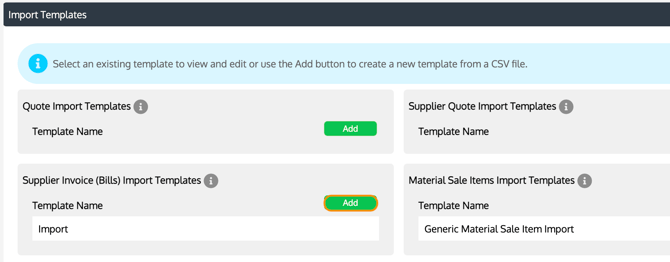
Locate the Supplier Invoice Import Templates section.
-
Select Add.
Step 3: Upload your CSV file
-
Select your saved CSV file that contains the supplier invoice data.
-
Upload the file to begin creating the template.
Step 4: Configure the Import Template
-
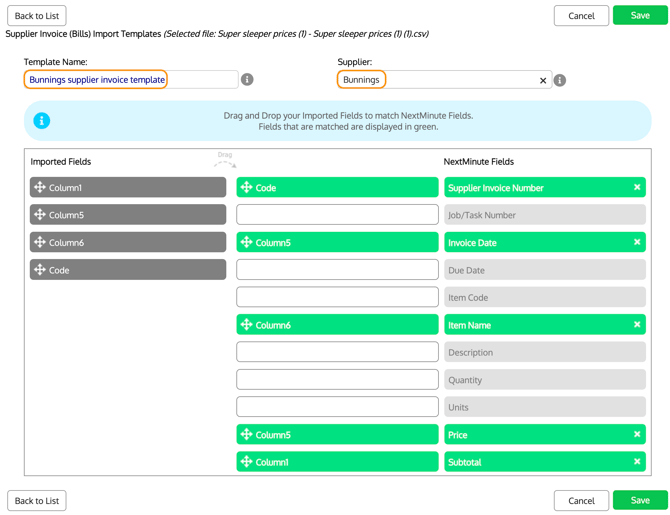
Enter a Template Name.
-
Assign the template to the relevant Supplier.
-
Drag and drop your imported fields so they match the NextMinute fields.
-
Fields highlighted in green indicate they have been successfully matched.
-
When you are happy with the mapping, select Save.