![NextMinute_Primary_White.svg]](https://support.nextminute.com/hubfs/NextMinute_Primary_White.svg)
Step 1: Navigate to Jobs and select All Jobs, then choose a job

Step 2: Select Edit from the Job flyout

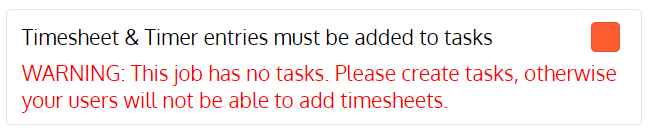
Step 3: Tick User timesheets must be entered against tasks and then hit Save

*If no tasks are assigned to the job the following message will appear:
The following steps are what your staff will now see when entering in their timesheets.
Step 1: Select Timesheets and + to make a Timesheet entry against that day

Step 2: Select 'Select Job'

Step 3: Select the Job you wish to add time to

As you can see below, you will now have to select a Task from the list of tasks associated with that Job to make a timesheet entry.
