![NextMinute_Primary_White.svg]](https://support.nextminute.com/hubfs/NextMinute_Primary_White.svg)
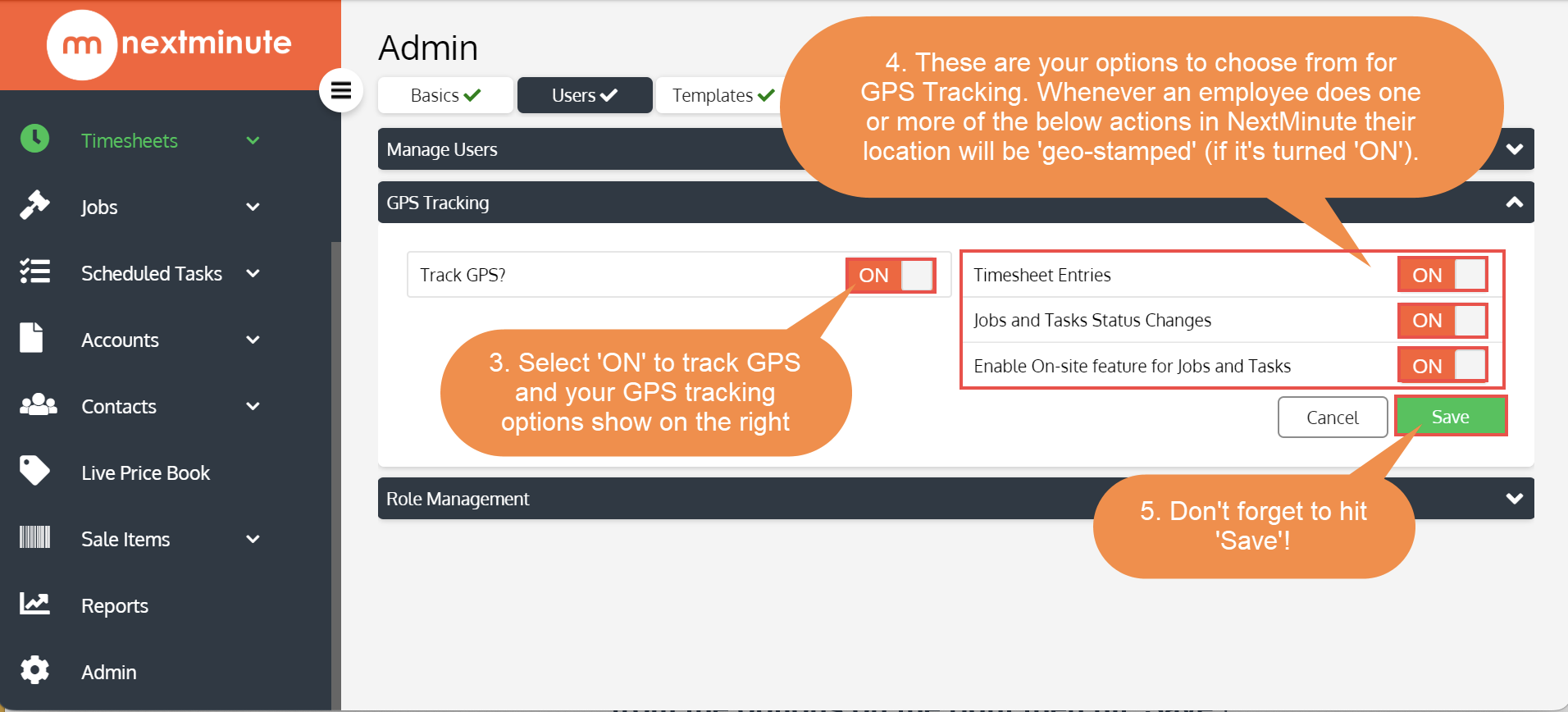
Here is a guide on how to enable your GPS Tracking function within your nextminute subscription. Our GPS Tracking function drops a pin on your employees location whenever they perform certain actions within NextMinute. For example, whenever Brad clicks the 'On-Site' button, his GPS location pin is also picked up and recorded in NextMinute along with the date/time and employees name (in this case, it would be Brad!).
-png.png)
🔶 This is useful to have turned on for Contact Tracing during Covid19 🔶
Step 1. Navigate to 'Admin' then click the 'Users' tab
Step 2. In the 'GPS Tracking' section, turn 'ON' the 'Track GPS?' button, select from the options on the right then hit 'Save'!