![NextMinute_Primary_White.svg]](https://support.nextminute.com/hubfs/NextMinute_Primary_White.svg)
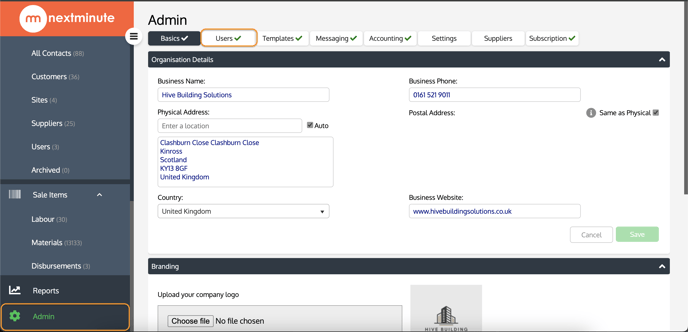
Step 1:
Navigate to ADMIN and select the USERS tab:
Step 2:
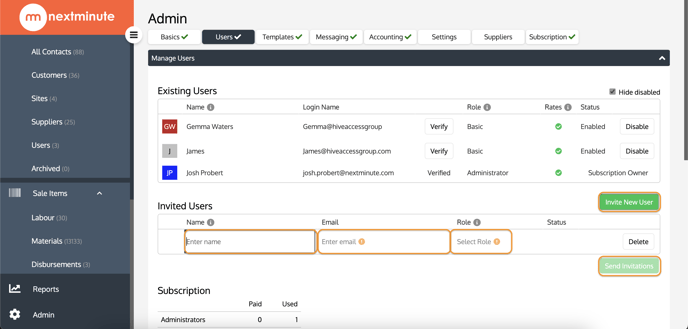
Click INVITE NEW USER input the new users NAME, EMAIL ADDRESS and select the role permissions you would like to assign them.
Once completed, select SEND INVITATIONS
Navigate to ADMIN and select the USERS tab:
Click INVITE NEW USER input the new users NAME, EMAIL ADDRESS and select the role permissions you would like to assign them.
Once completed, select SEND INVITATIONS