![NextMinute_Primary_White.svg]](https://support.nextminute.com/hubfs/NextMinute_Primary_White.svg)
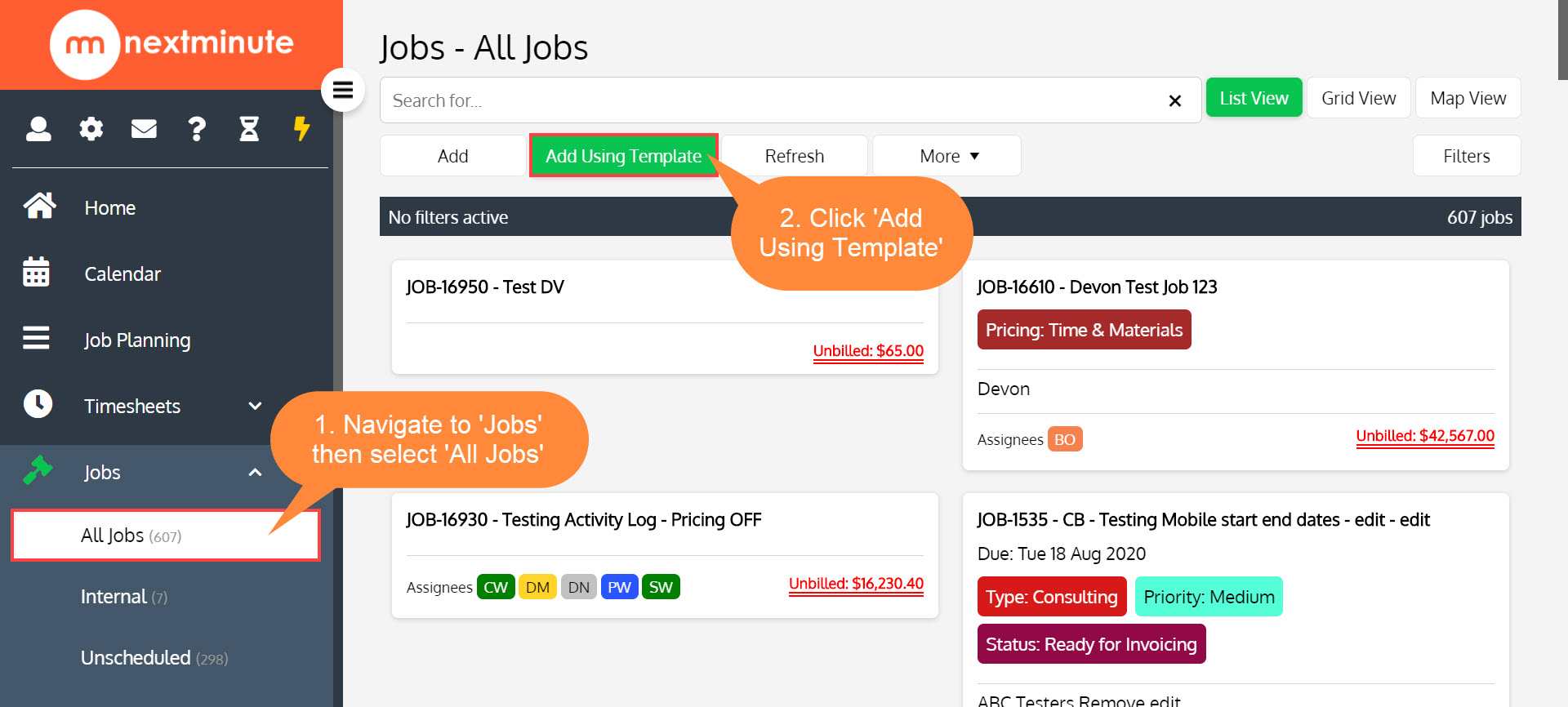
Step 1. Navigate to All Jobs and Add Using Template, or quickly Add Job Using Template via Quick Actions
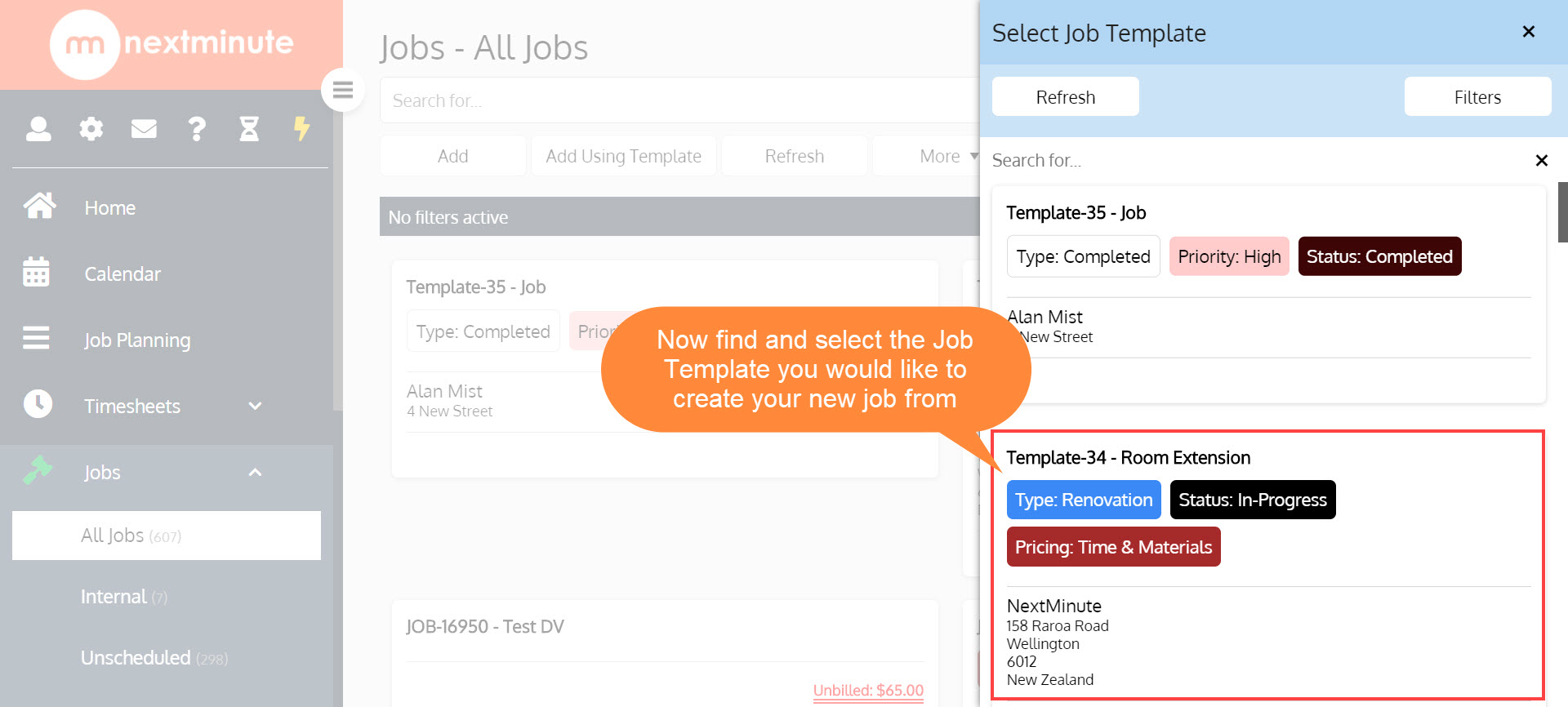
Step 2. Select the Job Template you want to use
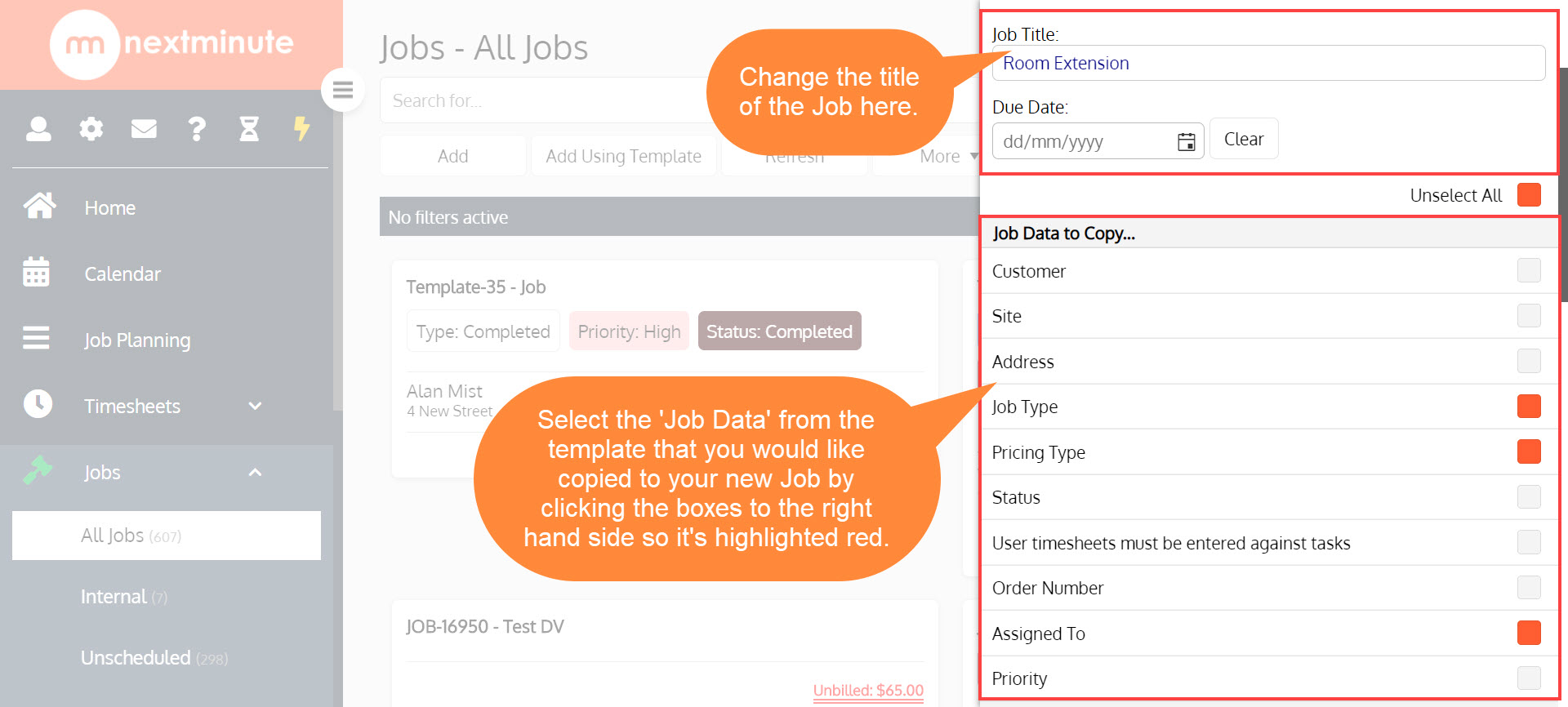
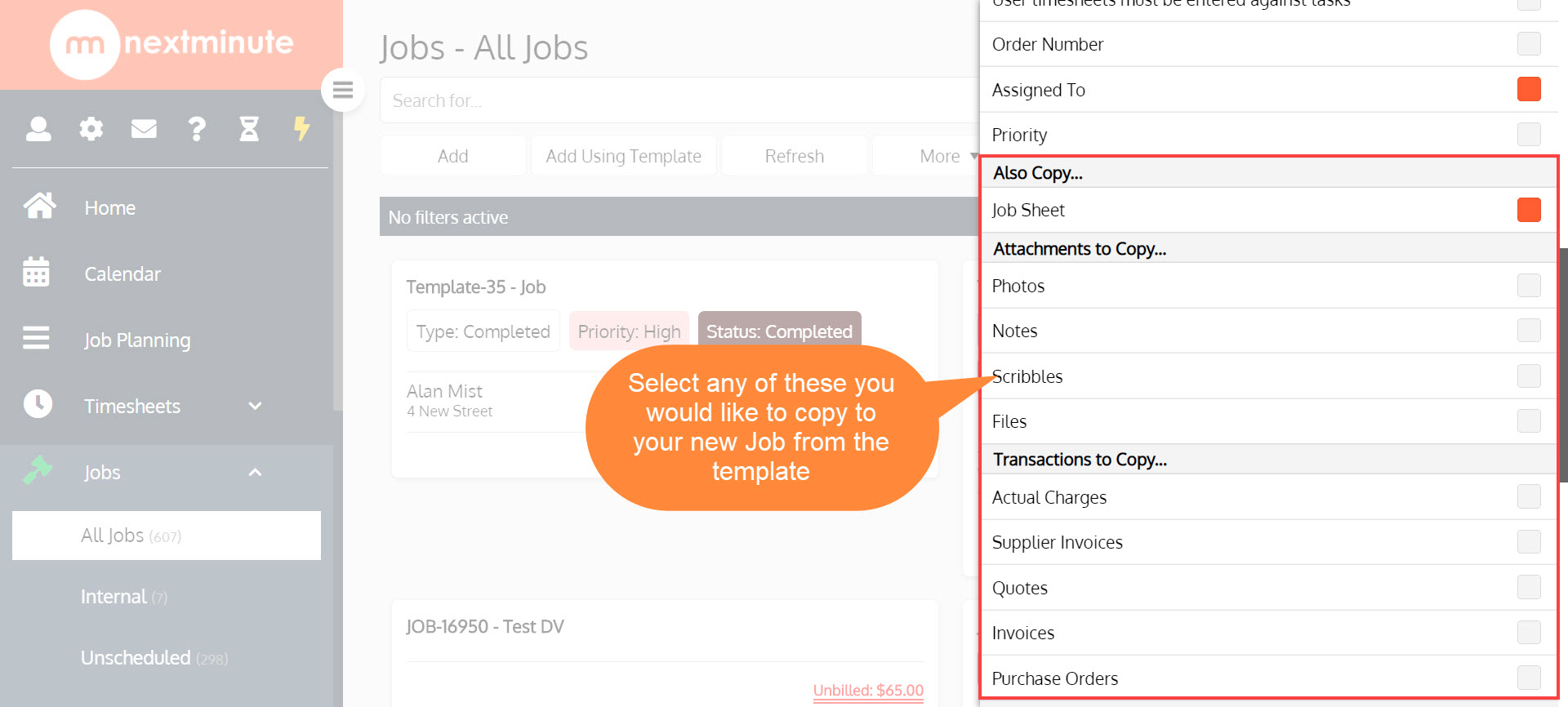
Step 3. Change the title, add a date, then scroll down and select the data you would like to copy to your new Job
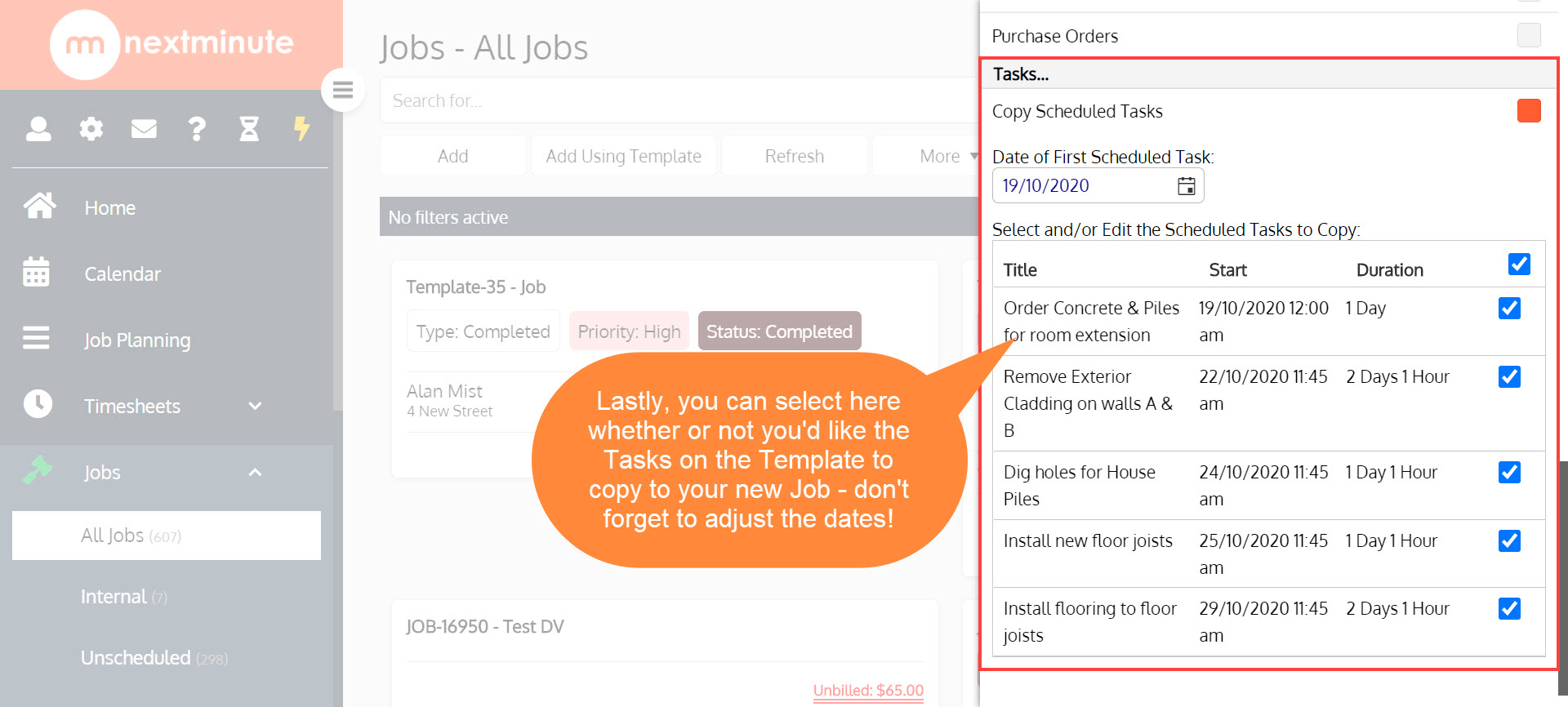
Step 4. Now when you're ready, click 'Save' then your Job will show on the right
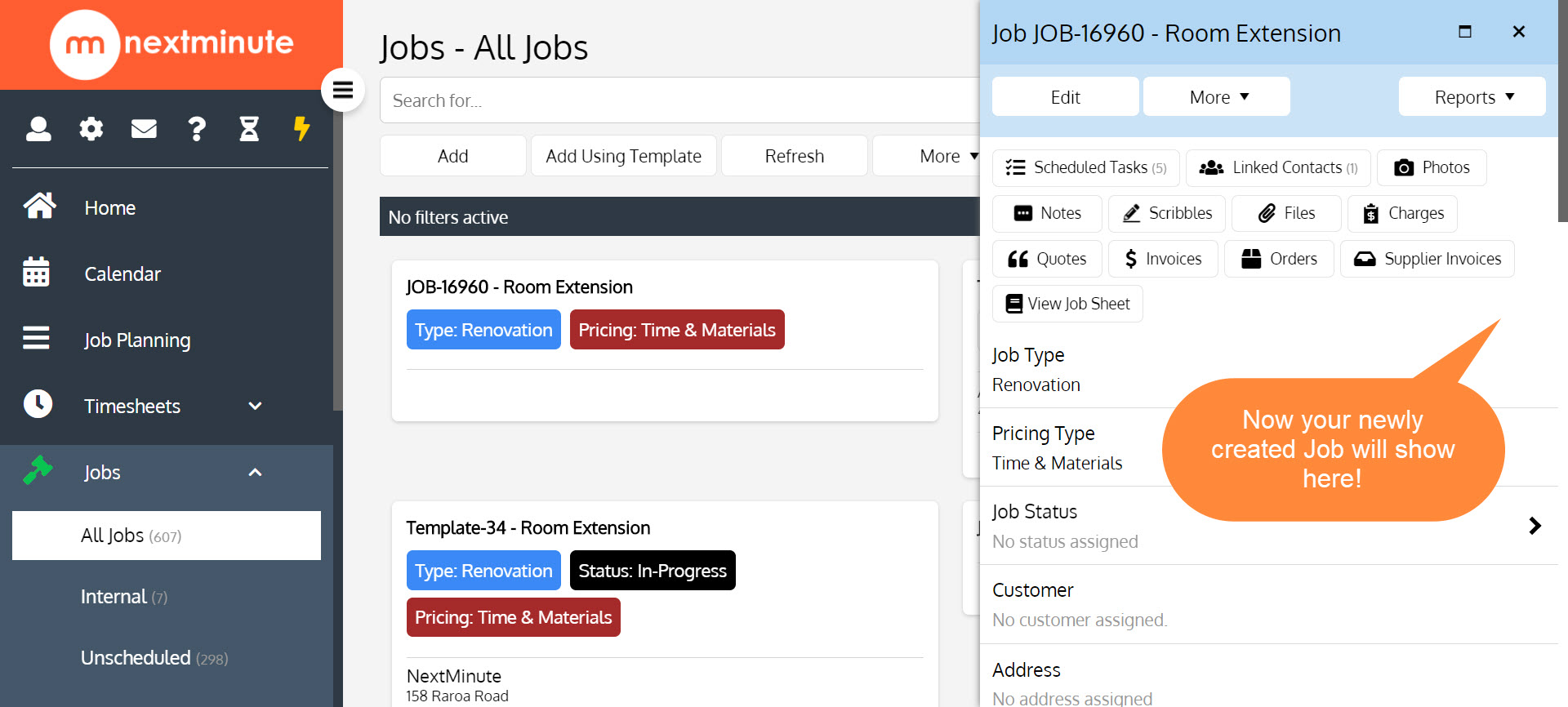
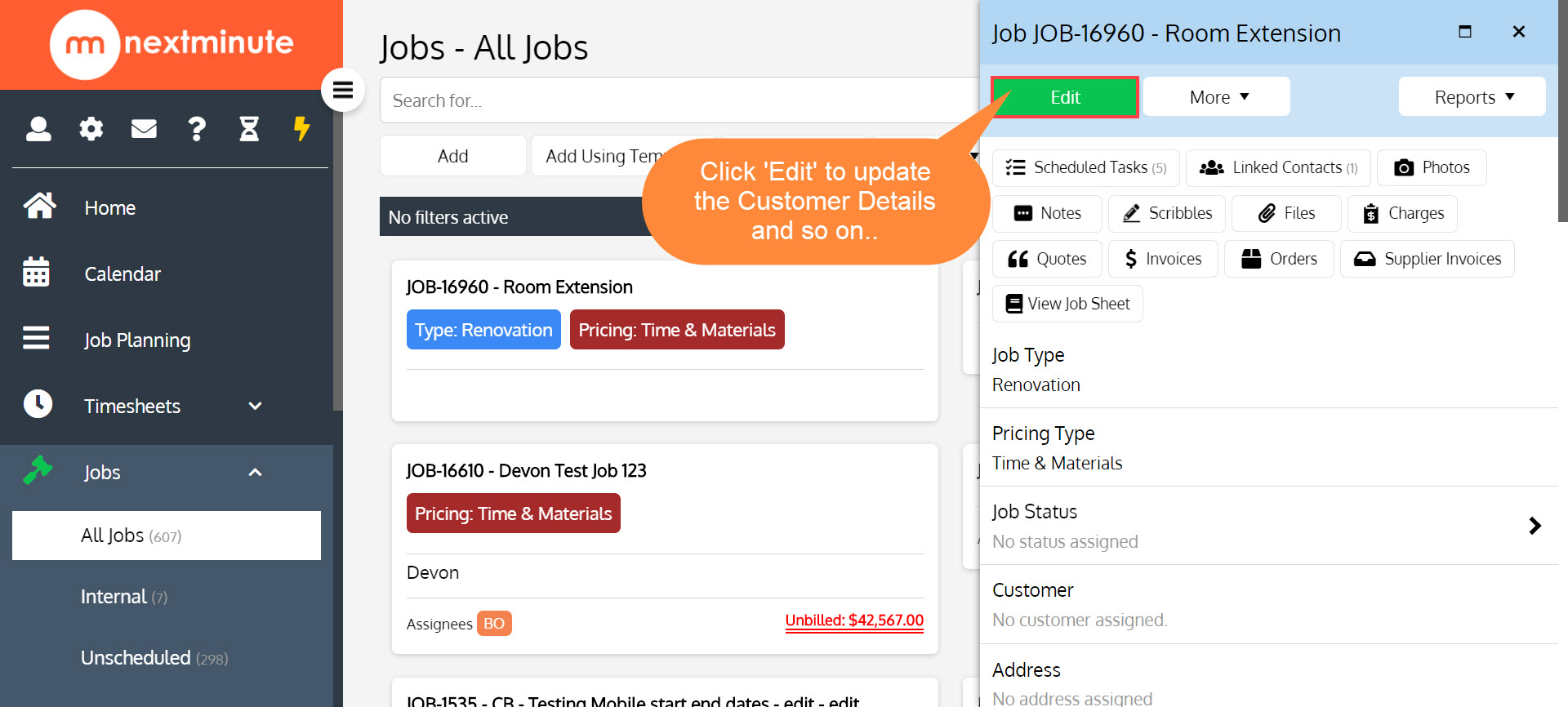
Step 5. If you need to update contact details etc. just click 'Edit' on your newly created Job Card