![NextMinute_Primary_White.svg]](https://support.nextminute.com/hubfs/NextMinute_Primary_White.svg)
If you receive the following error:
"Negative Discount Value - Please remove negative discount value before syncing to Xero"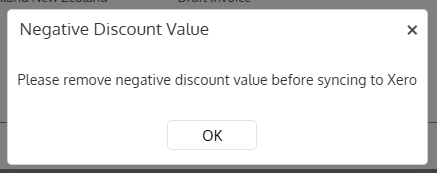
First enable the Discount (Disc %) column you via View Options to see which line item(s) have negative rates applied: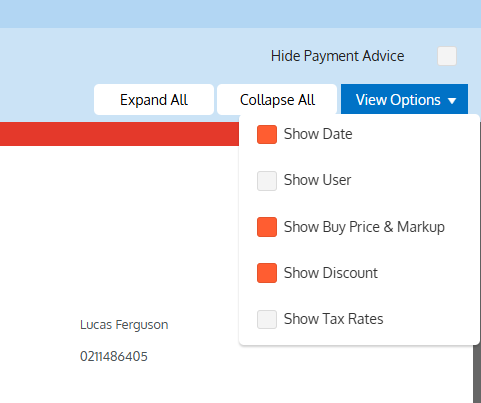
With the Discount view enabled, you can see for example below that -25% has been applied:
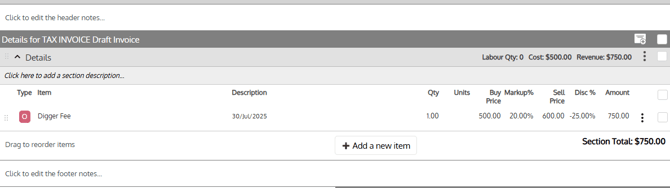
This is caused when the Quantity * Sell Price is less than the Sell Amount, for example:
Quantity: 1
Sell Price: $600
Sell Amount: $750
The difference being $150, so a negative discount of 25% has to be applied to get the Sell Amount to $750.
If the desired Sell Amount is $750, then the Sell Price needs to be set to $750 (from $600).