![NextMinute_Primary_White.svg]](https://support.nextminute.com/hubfs/NextMinute_Primary_White.svg)
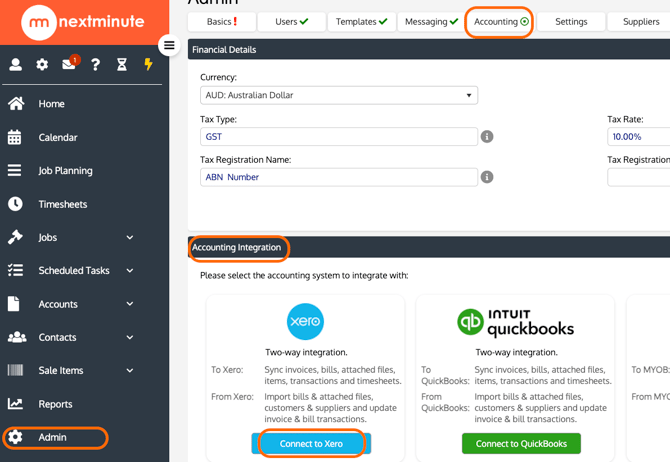
Step 1: Navigate to Accounting Settings
- Go to Admin
- Select Accounting
- Click Xero
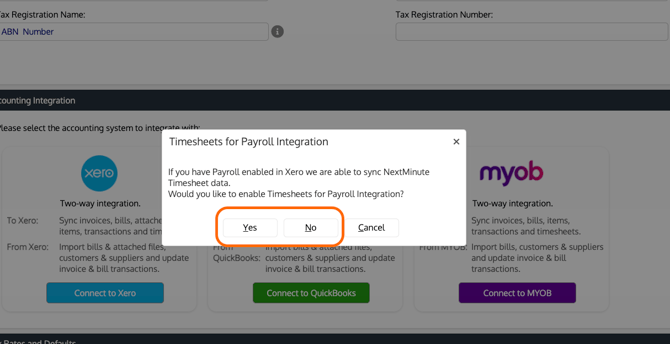
Step 2: Select Payroll Integration Option
- Choose Yes or No to connect Xero Payroll
Note: You can connect Xero Payroll later. You do not need to enable this during the initial setup.
Step 3: Log in to Xero
- Enter your Xero login details
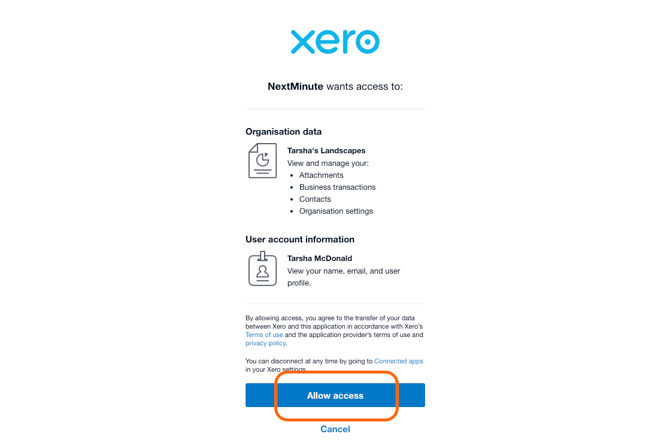
Step 4: Authorise Access
- Select the organisation NextMinute can access
- Click Allow access
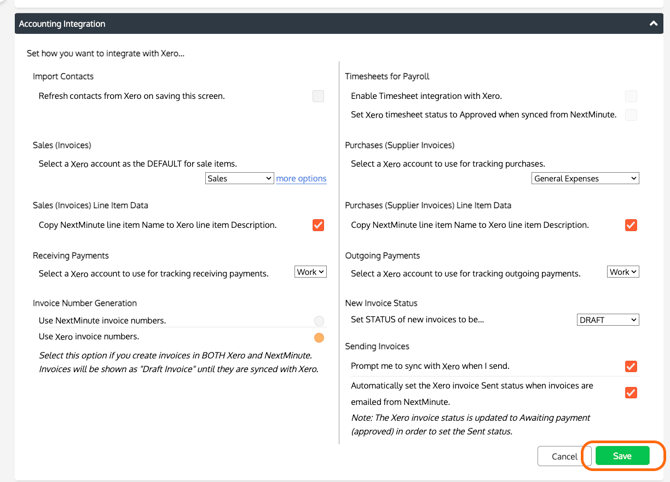
Step 5: Complete Integration Setup
- Fill in the Setup Integration with Xero form
- Click Save
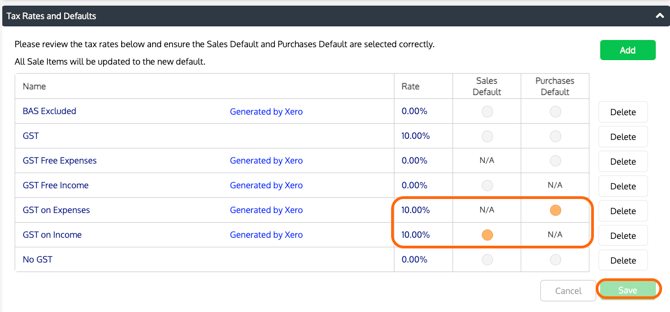
Setting Tax Rate Defaults
After connecting Xero, you must configure your default tax settings.
Step 6: Select Tax Rate Defaults
- Set the Sales Tax Rate Default
- Set the Purchases Tax Rate Default
Your Xero integration is now enabled.
Important Information
Important:
Each NextMinute account can only be connected to one Xero account.
If your business uses multiple Xero organisations, you will need to create a separate NextMinute account for each one.