![NextMinute_Primary_White.svg]](https://support.nextminute.com/hubfs/NextMinute_Primary_White.svg)
Note: In this example we are creating a recurring Task that repeats every 2 weeks.
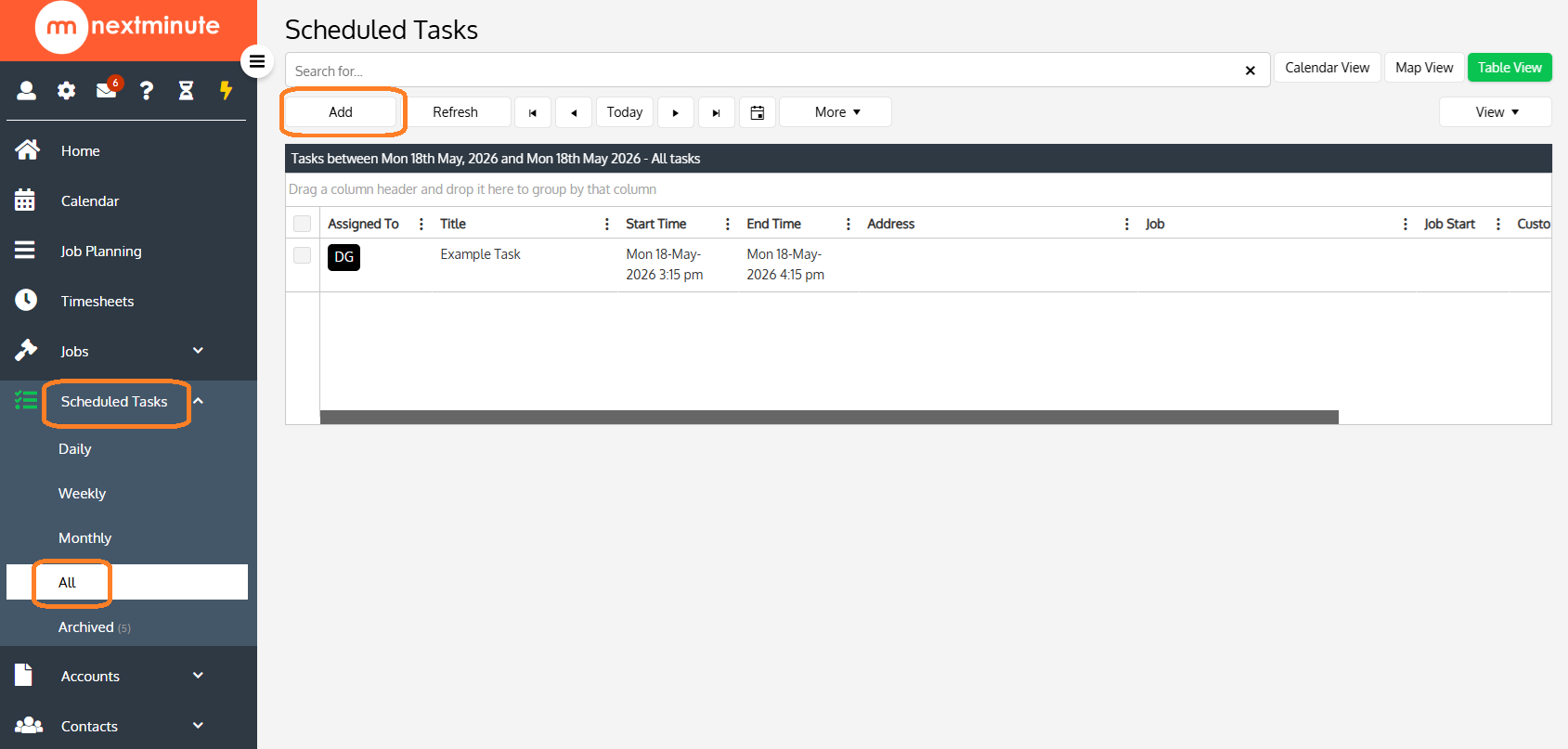
Step 1: Navigate All Tasks and select Add, or quickly Add a Task via Quick Actions
- Click on Scheduled Tasks
- Select All
- Click on Add
Step 2: Fill in Task form and select occurrence
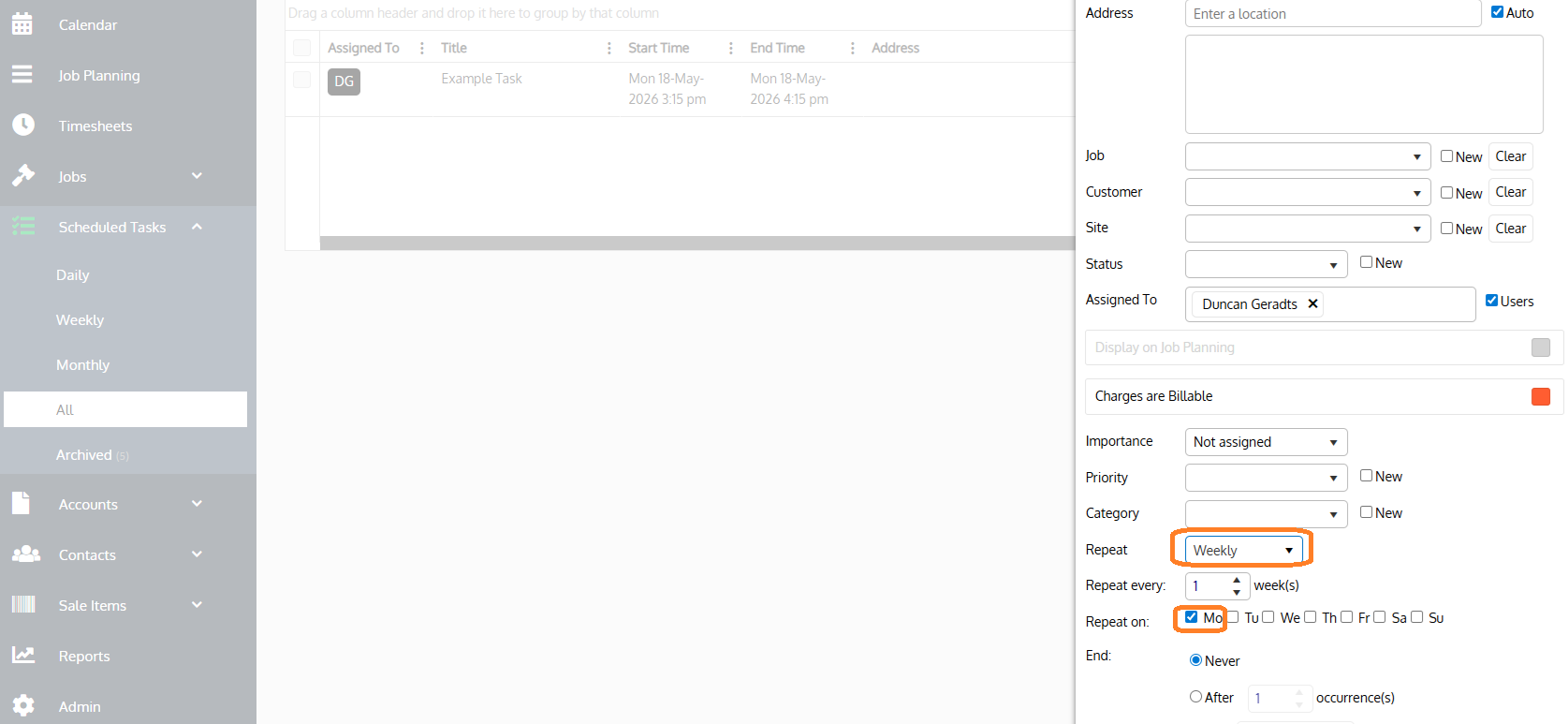
- Scroll down to the bottom, select Repeat to Weekly
- Select when you would like the task to repeat, we have selected once a week and on a Monday. Then choose when you want the recurring task to end, we have selected Never.