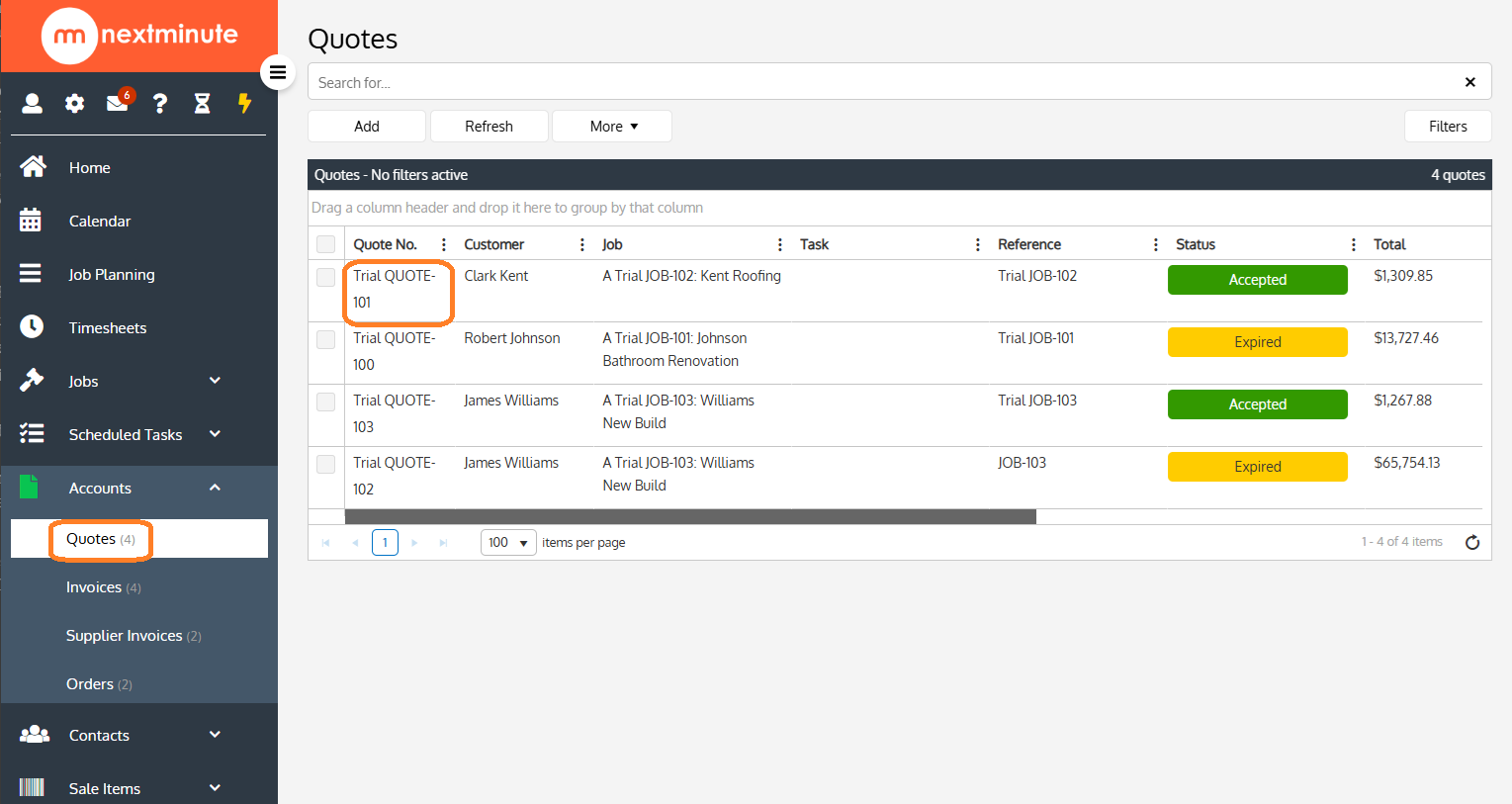
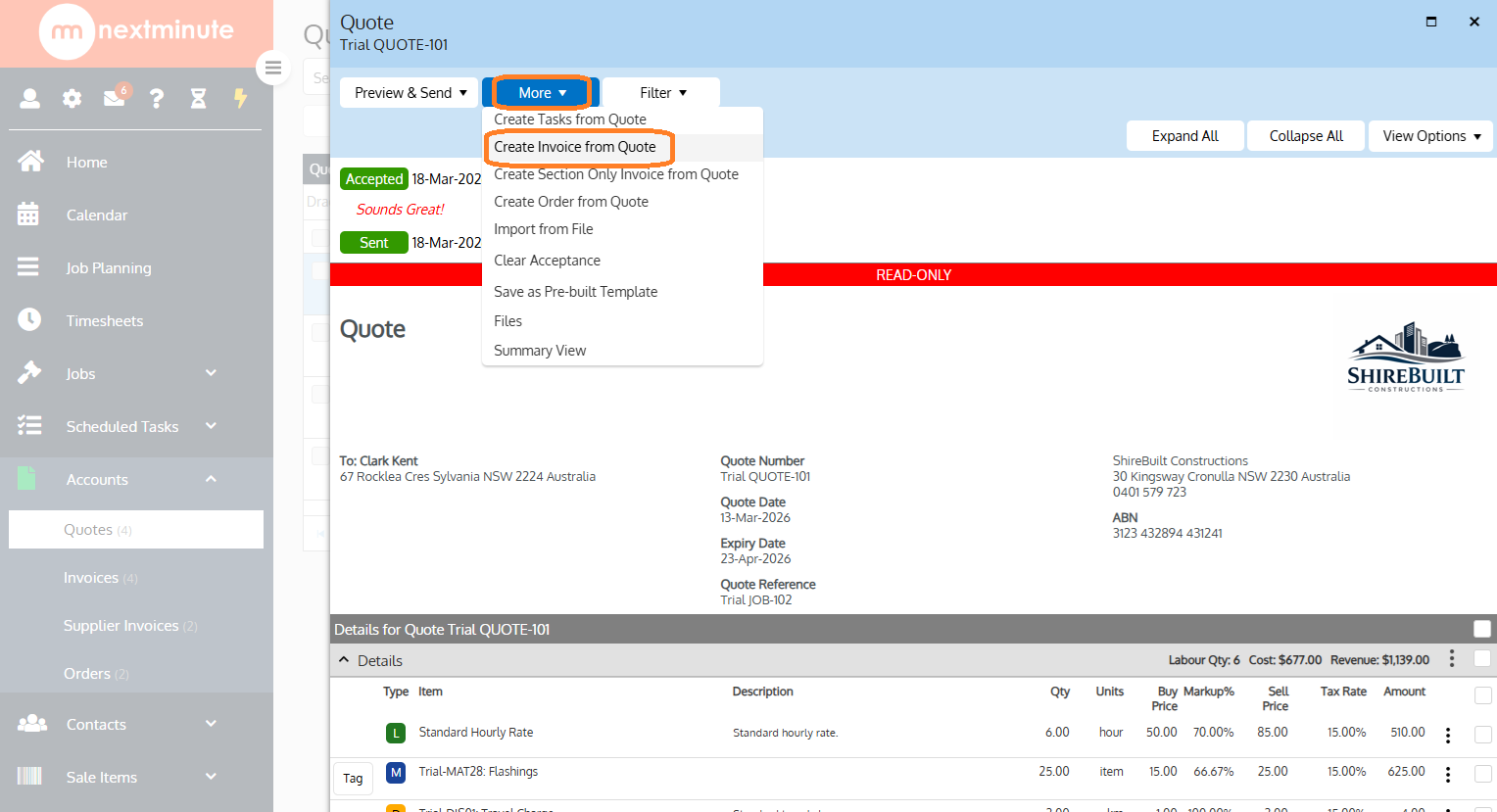
How to create an Invoice from a Quote Created your quote and now want to create an invoice for the job? Follow these steps to create your invoice directly from your quote. Step 1: Open up the Quote that you'd like to create an invoice from Select Accounts Select Quotes Open the Quote you would like to invoice from Step 2: Select Create Invoice from Quote Click on More Click on Create Invoice from Quote Step 3: Follow the prompts to create the invoice for either the full amount or part amount.
![NextMinute_Primary_White.svg]](https://support.nextminute.com/hubfs/NextMinute_Primary_White.svg)