![NextMinute_Primary_White.svg]](https://support.nextminute.com/hubfs/NextMinute_Primary_White.svg)
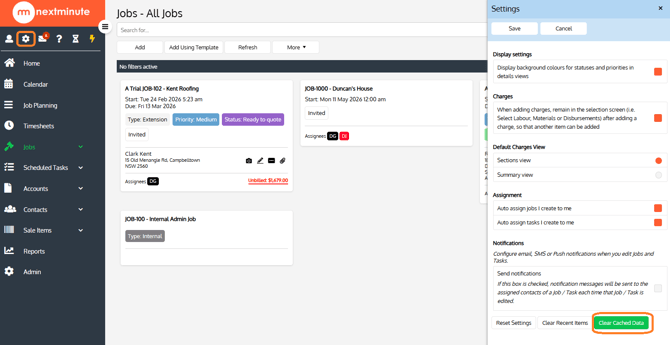
Step 1: Clear your cache within NextMinute
- Click on the Settings button on the navigation panel
- Click on Clear Cached Data
Clear cache via your browser
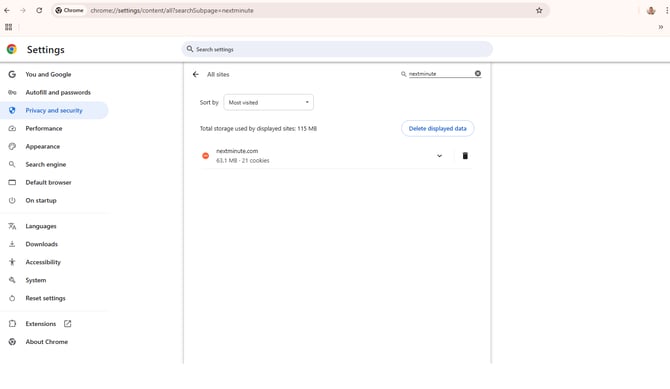
Option 1: Google Chrome
-
Enter the following into your Chrome browser:
chrome://settings/content/all?searchSubpage=nextminute
-
Click on Delete Displayed Data
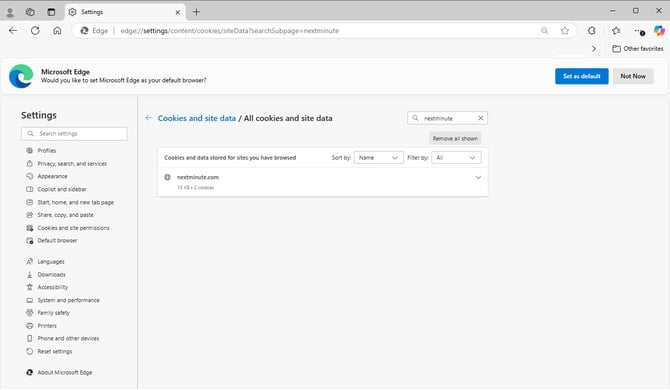
Option 2: Microsoft Edge:
-
Enter the following into your Edge browser:
edge://settings/content/cookies/siteData?searchSubpage=nextminute
Option 3: Safari
-
In the Safari app on your Mac, choose Safari > Settings, then click Privacy.
-
Click Manage Website Data.
-
Search and select for Nextminute, then click Remove